SMUSIC
Independent Android music appOpen source / GPL-3.0

Music,
without
the ceremony.

SMusic is an Android music app for streaming, offline listening, synchronized lyrics and a deeply configurable player. Start listening without creating an SMusic account.

Latest stableChecking GitHub…
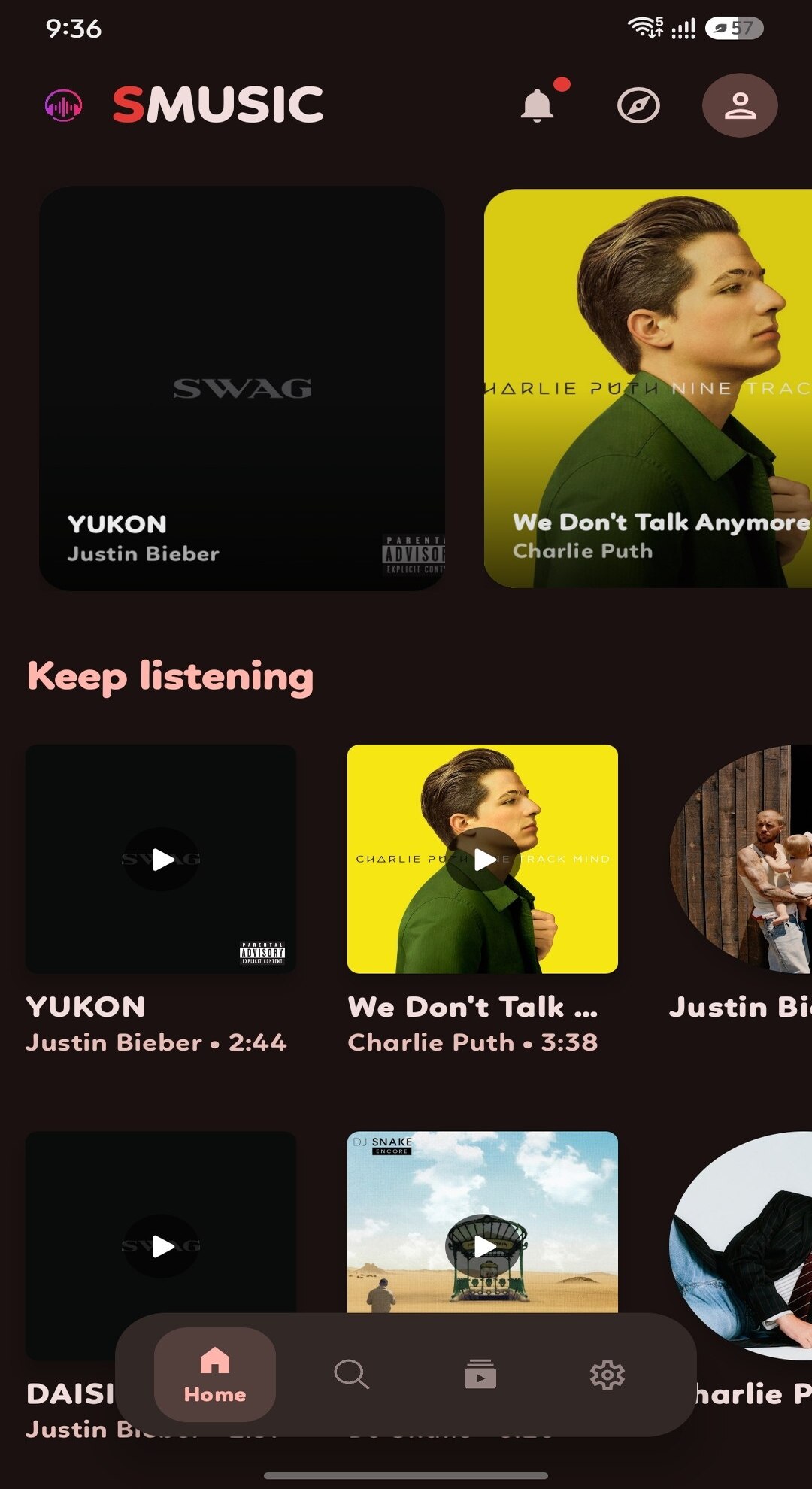
SMusic home screen
01 / Home
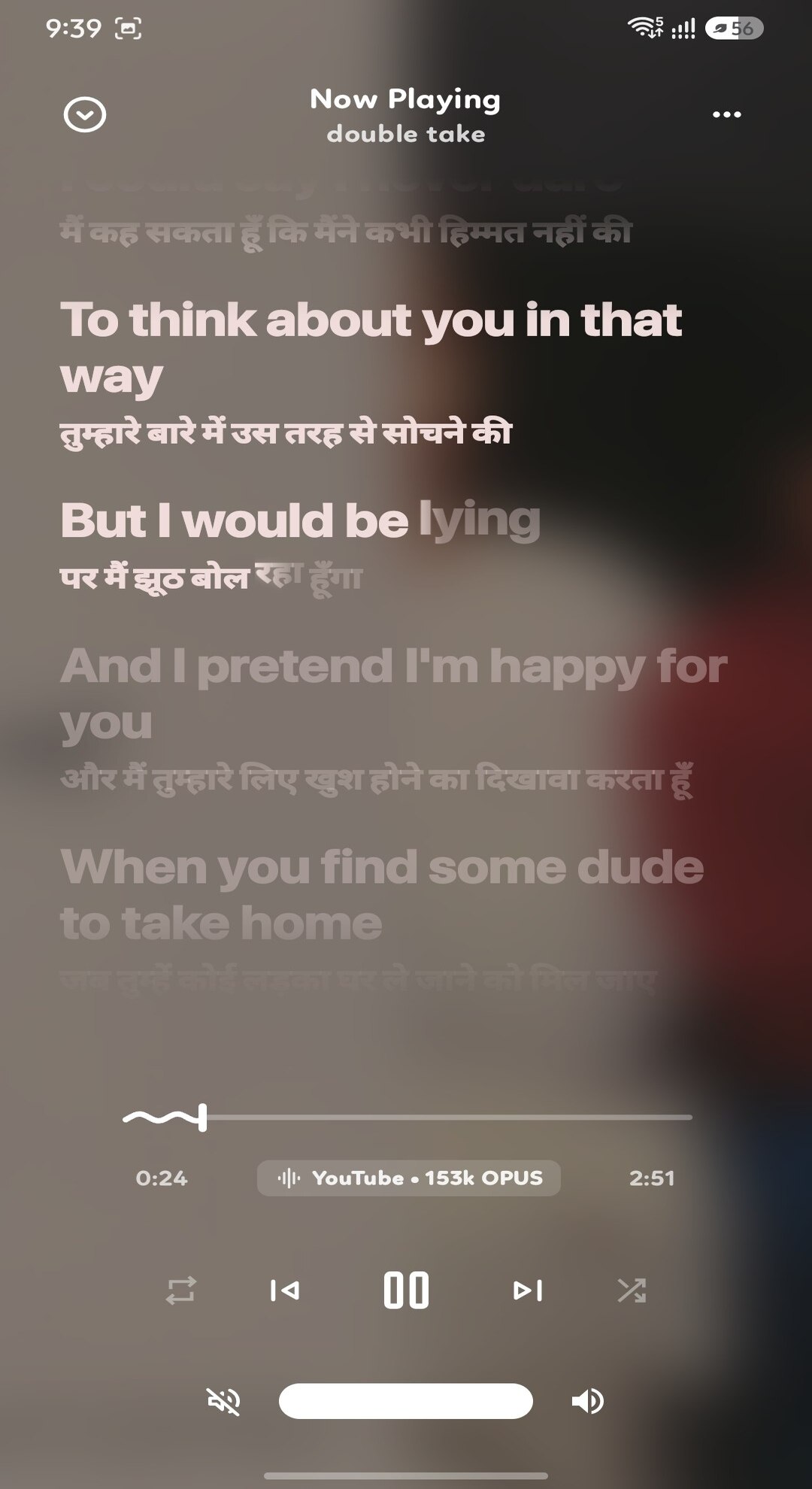
SMusic now playing screen
02 / Player
SMusic synchronized lyrics screen
03 / Lyrics
01 — What it does

A lot more than a play button.

The app is organized around a complete listening routine: finding music, playing it, keeping a library, following lyrics and shaping the interface around your habits.

01

Stream & discover

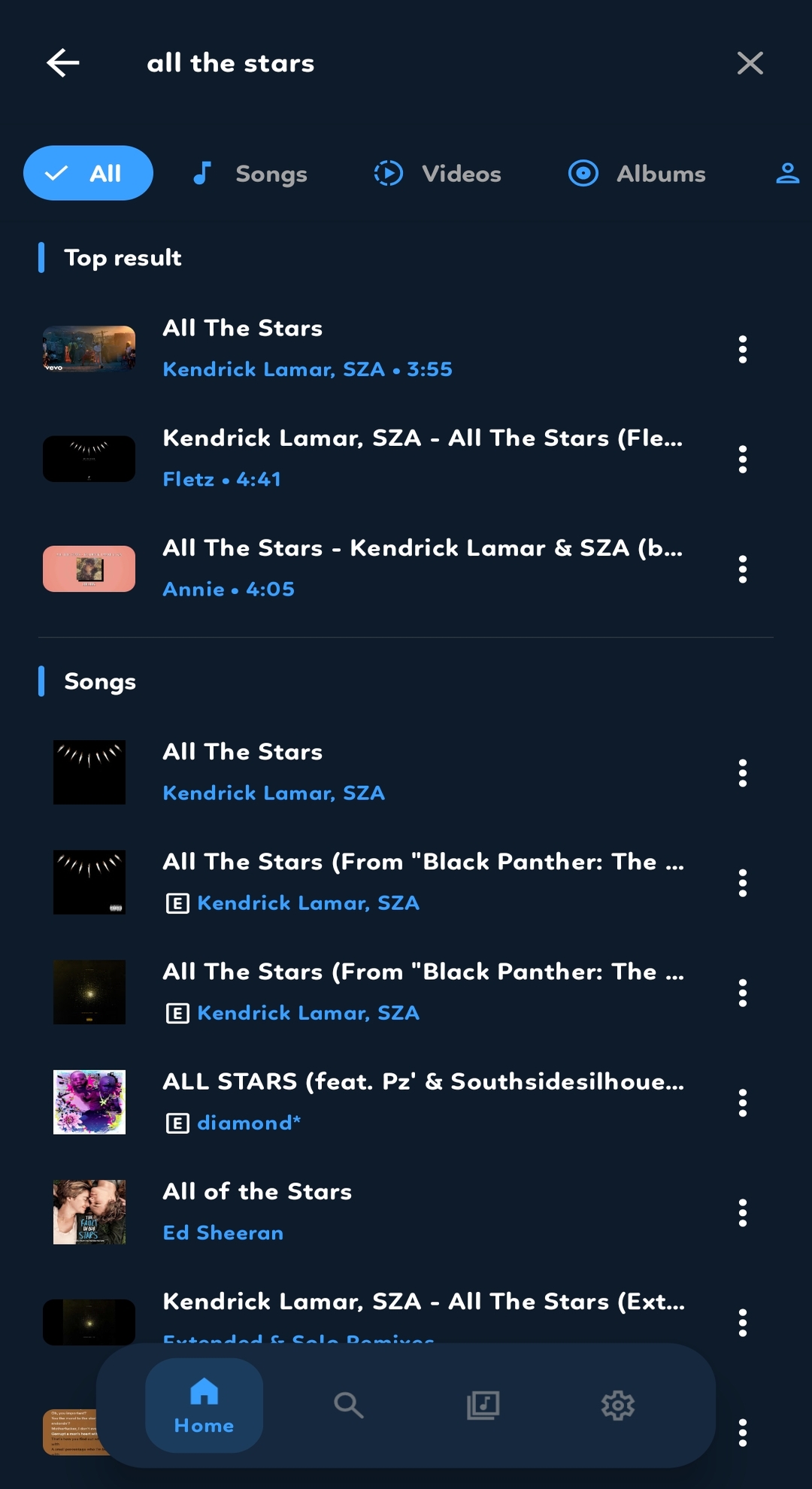
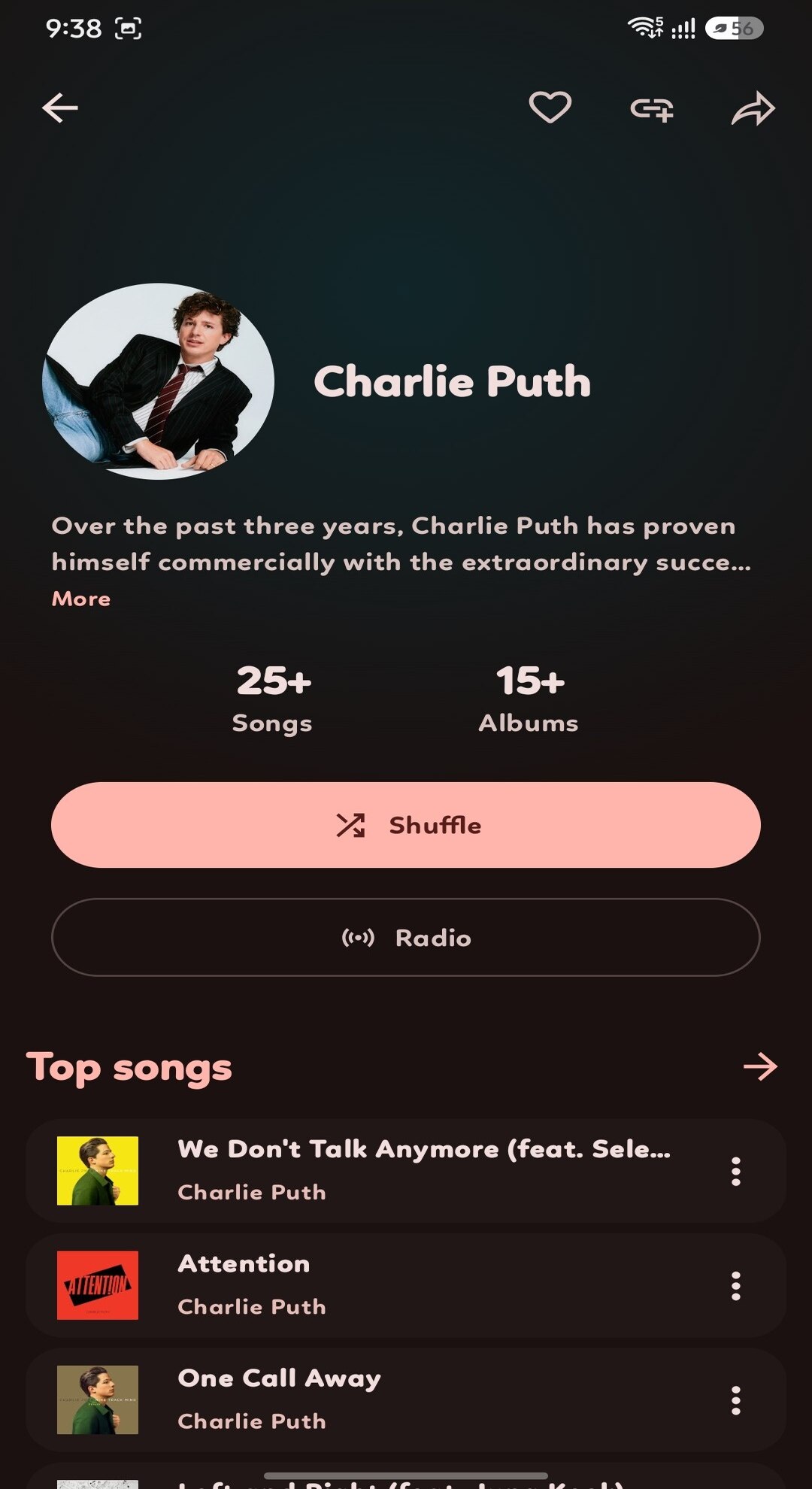
Search songs, videos, albums and artists from the YouTube Music catalogue. Browse mood- and genre-oriented collections, artist pages, new releases, related tracks and radio.HOME · EXPLORE · SEARCH FILTERS · ARTIST / ALBUM PAGES · RADIO

02

Offline listening

Download individual tracks or complete playlists, keep cached music organized and play it without a network connection. Low Data Mode can reduce audio quality on mobile data.TRACK DOWNLOADS · PLAYLIST DOWNLOADS · CACHE LIBRARY · STORAGE CONTROLS · LOW DATA MODE

03

Playback that stays with you

Background playback, media notification and lock-screen controls, queue management, shuffle, repeat, sleep timer and home-screen playback widget. Android Auto support is included.MEDIA3 / EXOPLAYER · MEDIA SESSION · ANDROID AUTO · APP WIDGET · SLEEP TIMER

04

Lyrics with timing

Read synchronized or plain lyrics, follow line-by-line highlighting, switch between lyrics layouts and share a selected lyric as an image card. Available sources can be configured in settings.LRCLIB · KUGOU · BETTERLYRICS · LRC.RED · BINI LYRICS · GENIUS · MUSIXMATCH · SIMPMUSIC · UNISON · YOULY · MEGALOBIZ · PAXSENIX · PORTATO · YOUTUBE CAPTIONS · YOUTUBE MUSIC LYRICS

05

Your library, your way

Manage songs, albums, artists and playlists. Keep listening history, cached playlists and local songs together. Import playlists from Spotify and YouTube Music where supported.LOCAL LIBRARY · PLAYLISTS · SPOTIFY IMPORT · YOUTUBE MUSIC IMPORT · HISTORY

06

Music recognition

Identify music playing around you using the recognition feature. Microphone access is needed only when you start a recognition session.ON-DEMAND MICROPHONE ACCESS · SHAZAMKIT MODULE

07

Listening data & insight

See listening statistics, top songs, artists and albums, and use listening-history signals for personal insight and music discovery features.LISTENING HISTORY · STATS · INSIGHTS · PULSE DISCOVERY

08

AI-assisted tools

Generate recommendations and playlists from listening taste or prompts, translate lyrics and request listening insights. These tools depend on the provider and credentials configured by the user.AI RECOMMENDATIONS · PLAYLIST GENERATOR · LYRIC TRANSLATION · LISTENING INSIGHTS · GOOGLE · OPENROUTER · OPENAI · CLAUDE · GEMINI · GROQ · MISTRAL · PERPLEXITY · XAI · NVIDIA · ORCAROUTER · PUTER · DEEPL · CUSTOM

09

Backups & restore

Export and restore app data, playlists and settings using the available local backup flow, with optional cloud destinations where configured.LOCAL BACKUP · RESTORE · OPTIONAL GOOGLE DRIVE INTEGRATION

10

Sound & personal controls

Use the built-in equalizer, audio visualizer and available spatial or 8D-style processing. Choose themes, accent colours, navigation layout, seek-bar style and animation preferences.EQUALIZER · AUDIO VISUALIZER · SPATIAL AUDIO · 8D AUDIO · DJ AUDIO PROCESSOR · THEMES · REORDERABLE NAVIGATION

02 — Player room

Fifteen ways to look at the same song.

Player layouts are selectable in the app. Seek-bar appearance can be changed separately.

ClassicModernSpotifyAppleiOS StyledGalaxyFoldFrostPaperLiquidCloudGlowGroovePopsyMinimalColourfull
DEFAULT SEEK BARSQUIGGLYSLIMCLASSIC / FULL-SCREEN LYRICS
03 — Inside SMusic

Actual screens.
Actual app.

The screenshots below are from the supplied SMusic project assets. The layout adapts to narrow phones, tablets and desktop browsers.

04 — More in the details

Small systems that make a daily app.

Beyond the main listening screens, SMusic includes supporting tools for device integration, account connections and routine maintenance.

A / Device integration

Android Auto & home widget

Continue playback from supported car interfaces and use a home-screen widget for quick access to playback controls.

B / Connected services

Optional account connections

YouTube Music sign-in is available for syncing supported library and history features. Discord Rich Presence can show listening activity when enabled.

C / Updates

Release history & announcements

Check for app releases, read changelogs and browse previous versions. In-app announcements and notification delivery are supported.

D / Accessibility & performance

Adjust the experience

Change animation behaviour, content language and country, audio quality, low-data behaviour and interface preferences. The app also includes voice-assistant settings.

05 — Under the surface

Built with familiar, inspectable tools.

SMusic is written in Kotlin. The interface is declarative, playback is handled by AndroidX Media3, and local library data is stored with Room. The source and module boundaries are public.

Kotlin 2.3Primary application and module language
Jetpack ComposeCompose UI · Material 3 · Navigation Compose
AndroidX Media3ExoPlayer · Media Session · OkHttp data source
RoomLocal database, entities, DAOs and migrations
Hilt + KSPDependency injection and symbol processing
CoilArtwork and image loading · SVG support
Ktor + OkHttpHTTP clients, API requests and serialization
WorkManagerBackground jobs, scheduled work and update checks
DataStorePersistent app preferences
Firebase MessagingPush notification delivery
NewPipe ExtractorExtraction support used by the InnerTube module
Charts & document toolsMPAndroidChart · iTextG
Interface utilitiesHaze · Shimmer · Reorderable · ConstraintLayout · Glance

Project modules / source map
SMusic/
├── app                     Main app · screens · playback · database
├── innertube               YouTube Music API client
├── lrclib                  LRCLIB lyrics integration
├── kugou                   KuGou lyrics integration
├── betterlyrics            BetterLyrics integration
├── shazamkit               Music recognition module
├── discordrpc               Discord Rich Presence
├── jossredconnect          Auth / backend connector
└── material-color-utilities Material colour utilities
Libraries & frameworks / declared project dependencies
AndroidX & ComposeActivity Compose · Navigation Compose · Lifecycle ViewModel · Jetpack Compose Runtime / UI / Foundation / Animation · Material 3 · Material Icons · ConstraintLayout Compose · Glance AppWidget
Playback & mediaAndroidX Media3 ExoPlayer · Media3 Session · Media3 UI · Media3 OkHttp DataSource · SquigglySlider · Android media APIs
Storage & background workRoom · DataStore Preferences · WorkManager · Guava · Kotlin Coroutines Guava · AndroidX Concurrent Futures
Networking & parsingKtor Client (Core / OkHttp / CIO / Content Negotiation / JSON / Encoding) · OkHttp · OkHttp Logging Interceptor · NewPipe Extractor · Jsoup · Brotli · Kotlinx Serialization JSON
Images & interfaceCoil Compose · Coil SVG · Haze · Haze Materials · Cloudy · Blurry · Shimmer · Palette · Graphics Shapes · Material Ripple · Reorderable · Liquid Glass · Material Color Utilities
Dependency injection & toolingHilt · KSP · Kotlin KAPT · Kotlin Serialization Plugin · Timber · Apache Commons Lang
Google & notificationsFirebase Cloud Messaging · AndroidX Credentials · Google Identity Services · Google Play Services Auth · Google API Client · Google Drive API · Google Auth Library
Charts & exportsMPAndroidChart · iTextG · AndroidX Palette
Project-specific modulesInnerTube · KuGou · LRCLIB · BetterLyrics · Shazam recognition · Discord RPC · JossRed Connect · Material Color Utilities
Download / Trusted mirrors

Get SMusic from your preferred store.

Choose a platform to view the SMusic listing and download the app. Each link opens the platform's listing page.

Take the
music with you.

Android / APK

Checking the latest stable release on GitHub.

Open latest release ↗
Contacting GitHub Releases…